
Learn
Design your own
Every print starts as a 3D file. Downloading one is fine; making your own is where it gets yours. Pick the tool that matches how you think.
Free CAD tools
- FreeCAD
A free, open source Parametric design modeller: change a number and the part updates.
Source: FreeCAD project (Official software page) - Onshape Free plan
In the browser. The Free plan is "for non-commercial use only" and "All Onshape Documents are accessible to the public", so do not use it for designs you plan to sell.
Source: Onshape (Official software page) - OpenSCAD
Design with code. Free software for Linux, Windows and Mac.
Source: OpenSCAD (Official software page) - Blender
Free and open source (GNU GPL). Strong for sculpted, organic shapes.
Source: Blender Foundation (Official software page)
Steps
Start from a shape you can measure
Pick something small and flat first: a tag, a hook, a charm. Write down the sizes that matter before you draw.
Build it from simple solids
Most practical parts are boxes, cylinders and holes added and subtracted. Parametric tools keep those sizes as numbers you can change later.
Source: FreeCAD project (Official software page)Export STL or 3MF
Your slicer reads STL, STEP, 3MF, OBJ and AMF.
Source: Prusa Knowledge Base (Maker's guide)Print a test, then change the numbers
Print the part, try it, change the size that is wrong, print again. The worked example below works exactly this way.
On this site
Design from a picture with our maker
Design from your own picture, on this site: upload, choose a size, and get a file to print at home or send to a print service.
Worked example
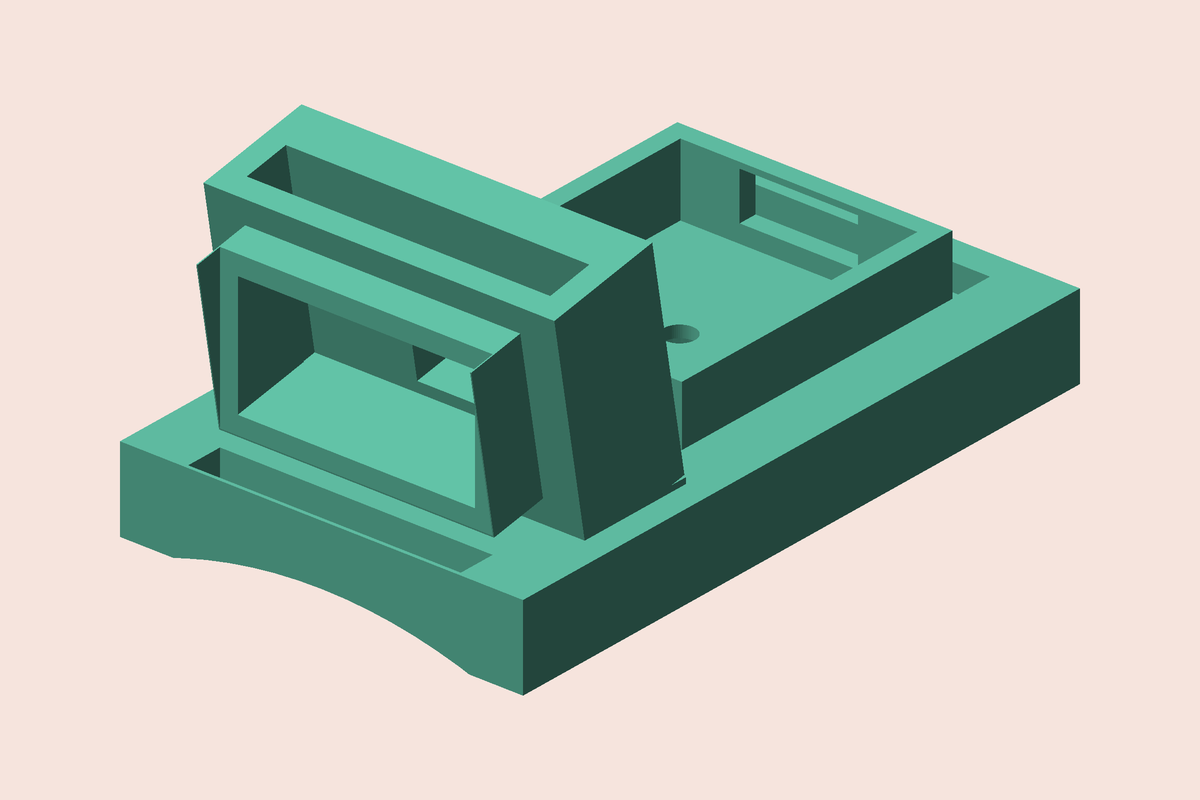
Worked example: a wrist mount for a depth sensor
A parametric mount that sits on the wrist and holds a small distance sensor, a microcontroller board and a coin vibration motor. A maker project, not a medical device.
Go further
- FreeCAD: your own 3D parametric modeler, FreeCAD project
- OpenSCAD, OpenSCAD
Sources
Each page was opened by our page reader on the date shown. Pages change: check the source before you rely on it.
- FreeCAD: your own 3D parametric modeler. FreeCAD project. Official software page. Read 10 November 2026.
- Onshape plans and pricing. Onshape. Official software page. Read 10 November 2026.
- OpenSCAD. OpenSCAD. Official software page. Read 10 November 2026.
- Blender. Blender Foundation. Official software page. Read 10 November 2026.
- First print with PrusaSlicer. Prusa Knowledge Base. Maker's guide. Read 10 November 2026.
Learning to code? WomenCanCode teaches real code, with an instructor alongside.