
Learn
Fix it: first layer, stringing and warping
Prusa calls the first layer "by far the most common 3D printing problem". Fix that first; many other faults start there.
Prints will not stick (first layer adhesion)
Clean the plate
Wipe with 90% IPA and keep fingers off. If adhesion fades even so, Prusa suggests a little dish soap and warm (not hot) water now and then, dried well.
Source: Prusa Knowledge Base (Maker's guide)Set the nozzle height
Too high leaves round lines with gaps; bring it slightly closer with Live Adjust Z. Do not over-squish.
Sources: Prusa Knowledge Base, First Layer Calibration (MINI/MINI+) (Maker's guide); Prusa Knowledge Base, Warping (Maker's guide)Add a brim
A brim gives a small footprint more to hold on with.
Sources: Prusa Knowledge Base, First print with PrusaSlicer (Maker's guide); Prusa Knowledge Base, Warping (Maker's guide)PETG sticks too hard
With PETG, ABS and ASA, use a separator such as glue stick on smooth PEI, or the sheet can be damaged.
Source: Prusa Knowledge Base (Maker's guide)
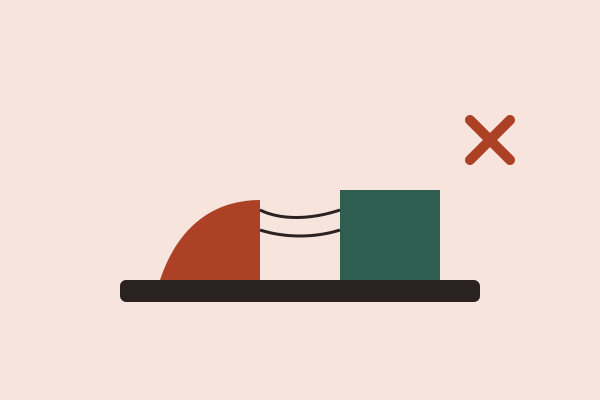
Hairs between parts (stringing)
Lower the temperature
Try 5 to 10 °C lower on the nozzle and check whether the strings thin out.
Source: Prusa Knowledge Base (Maker's guide)Check retraction
Retraction pulls filament back before travel moves. Start from the slicer's default profile; flexible filaments need longer retractions.
Source: Prusa Knowledge Base (Maker's guide)Try another spool
Filament that has taken on moisture strings a lot.
Source: Prusa Knowledge Base (Maker's guide)Clean the nozzle
After long runs of PETG a thin layer can build on the nozzle and drag strings. Clean it before printing.
Source: Prusa Knowledge Base (Maker's guide)
Corners lifting (warping)
Start from the default profile
The slicer's profile for your material is already tuned.
Source: Prusa Knowledge Base (Maker's guide)Glue stick, thinly, on a cold sheet
It helps adhesion and protects the sheet.
Source: Prusa Knowledge Base (Maker's guide)Check the part cooling fan
PLA and PETG need plenty of cooling. Make sure the fan runs and nothing blocks it.
Source: Prusa Knowledge Base (Maker's guide)Stop draughts
An open window or air conditioning nearby makes warping more likely. For ASA, ABS or PC, use an enclosure, a skirt as a draft shield, a slower speed and a brim, and turn the problem corners toward the centre of the bed.
Source: Prusa Knowledge Base (Maker's guide)
Go further
- First layer issues, Prusa Knowledge Base
- Stringing and oozing, Prusa Knowledge Base
- Warping, Prusa Knowledge Base
- Print quality troubleshooting guide, Simplify3D
Sources
Each page was opened by our page reader on the date shown. Pages change: check the source before you rely on it.
- First layer issues. Prusa Knowledge Base. Maker's guide. Read 10 November 2026.
- First Layer Calibration (MINI/MINI+). Prusa Knowledge Base. Maker's guide. Read 10 November 2026.
- Warping. Prusa Knowledge Base. Maker's guide. Read 10 November 2026.
- First print with PrusaSlicer. Prusa Knowledge Base. Maker's guide. Read 10 November 2026.
- Stringing and oozing. Prusa Knowledge Base. Maker's guide. Read 10 November 2026.