
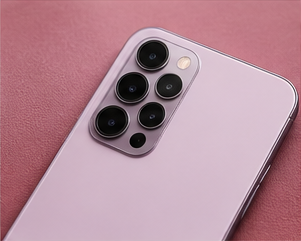
Phone makers now sell genuine parts, tools and repair manuals to the public. This guide takes you from "is my battery worn?" to a finished repair, using the makers’ own programmes and iFixit’s free guides. It is not a replacement for the manual for your exact model: read that first.
1. Check your battery first (iPhone)
Apple says every rechargeable battery is a consumable that holds less charge as it chemically ages, and that iPhone shows its health:
1. Open Settings, then tap "Battery".
2. Tap "Battery Health".
Apple says Maximum Capacity is the battery’s capacity compared with when it was new, and that batteries in iPhone 15 models are designed to keep 80 per cent of their original capacity at 1,000 complete charge cycles under ideal conditions (500 cycles for iPhone 14 and earlier). The same screen tells you if peak performance is being managed because the battery is worn.
2. Stop if the battery is swollen
Samsung says that if your phone has a swollen battery you should not attempt a self-repair, and that you can spot one because it physically separates from the back of the phone. Book a repair with an authorised service partner instead.
3. Get the manual for your exact model
Apple: Apple says Self Service Repair is for people with the knowledge and experience to repair electronic devices. Start with the repair manual for your model on Apple’s Self Service Repair page; the manual lists the steps, parts, tools and materials, and gives the manual ID you need to order parts.
Samsung: Samsung’s Self-Repair programme sells genuine parts and toolkits for some Galaxy phones, tablets and laptops through its partner website, with step-by-step repair guides, and lists the supported models (they differ by country).
Any phone: iFixit publishes free step-by-step repair guides, parts and tools for every iPhone, from the original to the newest folding model, and for many Android phones.
4. Order genuine parts and tools
Apple says you buy genuine parts and rent or buy professional tools from the Self Service Repair Store, which is run by a third party Apple authorises; some parts need your serial number or IMEI. Samsung says its Self-Repair toolkits come with everything you need for mobile and tablet repairs.
5. Do the repair, then check it
1. Follow the manual step by step, in order.
2. iPhone: Apple says the manual tells you if you need to run Repair Assistant or System Configuration afterwards to finish the repair.
3. Galaxy: Samsung recommends running the diagnostics tests in the Samsung Members app to check the phone is working.
4. Return the old part: Apple says you can send replaced parts back to be refurbished or recycled, and some returns earn a credit.
Know what it does to your warranty
Samsung says damage caused by a repair attempt by anyone other than an authorised service centre is not covered by the warranty. Apple says its own warranty does not cover batteries that wear down from normal use, so a worn battery is usually an out-of-warranty repair either way. If you would rather not do it yourself, Apple offers in-person and postal repairs.