
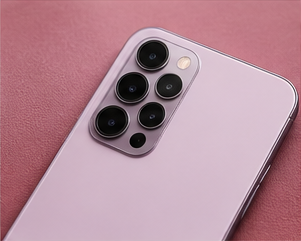
Phones have grown, and a phone that is comfortable in one hand is not the same for everyone. This guide puts the makers’ published sizes side by side and shows the settings that help. Every figure in the table is copied exactly as the maker publishes it, on its own spec page, read on 10 November 2026.
Why size matters
One hand: in Steven Hoober’s study for UXmatters, researchers made 1,333 observations of people using phones in public. Of the people touching the screen, 49% used one hand, 36% cradled the phone in one hand and tapped with the other, and 15% used both thumbs. Smashing Magazine’s thumb zone article builds on that research: the parts of the screen a thumb reaches easily, and the parts it does not.
Pockets: The Pudding measured the front pockets of 80 pairs of jeans from 20 popular US brands, all with a 32 inch waistband, in 2018. It found women’s pockets were on average 48% shorter and 6.5% narrower than men’s, and that only 40% of women’s front pockets could completely fit a phone from one of the three leading brands.
Hands: the US Army’s ANSUR II survey (2012) published 93 body measurements of 1,986 women and 4,082 men. Penn State’s OPEN Design Lab publishes the data and a Data Explorer that converts between percentiles and millimetres, if you want to compare your own hand with the survey.
Compare the sizes
Width is what your hand wraps around; height decides how far your thumb has to stretch and whether it fits a pocket; weight decides how tiring it is to hold. Measure the pocket you use most and compare.
| Phone | Height | Width | Depth | Weight | Screen |
|---|---|---|---|---|---|
| Apple iPhone 17e | 146.7 mm | 71.5 mm | 7.80 mm | 170 g | 6.1-inch |
| Apple iPhone 17 | 149.6 mm | 71.5 mm | 7.95 mm | 177 g | 6.3-inch |
| Apple iPhone 18 Pro | 150.0 mm | 71.9 mm | 8.75 mm | 211 g | 6.3-inch |
| Apple iPhone Air | 156.2 mm | 74.7 mm | 5.64 mm | 165 g | 6.5-inch |
| Apple iPhone 18 Pro Max | 163.4 mm | 78.0 mm | 8.75 mm | 249 g | 6.9-inch |
| Apple iPhone Duo, closed | 117.8 mm | 84.1 mm | 11.3 mm | 254 g | 5.4-inch outer |
| Apple iPhone Duo, open | 117.8 mm | 164.6 mm | 5.2 mm | 254 g | 7.6-inch inner |
| Google Pixel 10a | 153.9 mm | 73 mm | 9 mm | 183 g | 160 mm |
| Google Pixel 11 | 152.8 mm | 72 mm | 8.6 mm | 197 g | 6.3-inch |
| Google Pixel 11 Pro | 152.7 mm | 71.9 mm | 8.4 mm | 204 g | 6.3-inch |
| Google Pixel 11 Pro XL | 162.7 mm | 76.5 mm | 8.5 mm | 226 g | 6.8-inch |
| Samsung Galaxy S26 | Not on the page we read | Not on the page we read | 7.2 mm | 167 g | 6.3" |
| Samsung Galaxy S26+ | Not on the page we read | Not on the page we read | 7.3 mm | 190 g | 6.7" |
| Samsung Galaxy S26 Ultra | Not on the page we read | Not on the page we read | 7.9 mm | 214 g | 6.9" |
Sources: Apple’s UK spec pages for each iPhone, Google Store UK spec pages for each Pixel, Samsung UK’s Galaxy S26 page (which gave thickness, weight and screen size but not height or width). Read on 10 November 2026.
Try before you buy
1. Hold the phone the way you use it most: in one hand, and with your thumb reaching for the top corner on the opposite side.
2. Put it in the pocket or bag you actually carry, with the case you will use.
3. Check its weight in the table against the phone you have now.
Bring the top of the screen down: iPhone
Apple calls this Reachability:
1. Go to Settings, then "Accessibility", then "Touch", and turn on "Reachability".
2. On an iPhone with Face ID, swipe down on the bottom edge of the screen to lower the top half. Tap the upper half to go back.
Apple says Reachability is not available on iPhone Duo, and points to AssistiveTouch or Voice Control instead.
Grips and rings
Grips, rings and straps that stick or clip to the back of a phone give your fingers something to hold. We have not tested any. If you use one, check it does not cover the camera.